How to use an attendance simulator for upcoming classes
Updated: 2026-10-15
What an attendance simulator answers
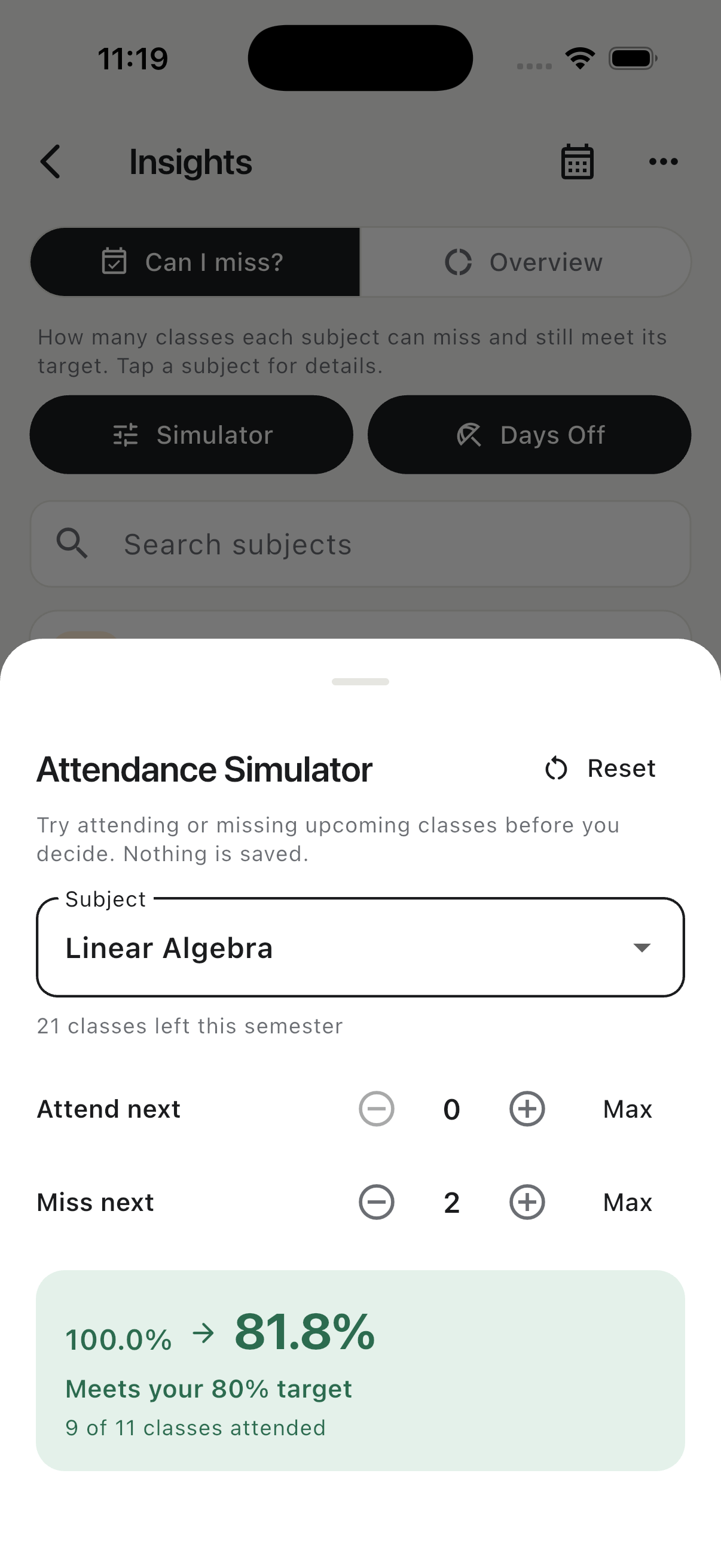
An attendance percentage shows the past. An attendance simulator helps you reason about the next decision. Starting from the number of classes held and attended, it projects the result after a sequence such as attend, attend, miss. This is useful when a plain percentage does not show how close you are to the edge.
For example, suppose 20 classes have been held and you attended 16. Your current attendance is 80%. If you miss the next class, the projection becomes 16 out of 21, or about 76.19%. If you miss two in a row, it becomes 16 out of 22, or about 72.73%. The second absence crosses a 75% target even though the starting number looked comfortable.
Use the correct starting numbers
Begin with classes held and classes attended, not a rounded percentage copied from a portal. An 80% display could represent 4 of 5, 16 of 20 or 80 of 100; the effect of the next absence is different in each case. Check whether your institution counts lectures, laboratories and tutorials separately, and create separate subjects when they have separate requirements.
Cancelled meetings should not be counted as absences. Likewise, a make-up class or extra class changes the denominator only if it was actually held and is included in the official record. Resolve those exceptions before trusting a forecast.
Set the real target for each subject
Do not assume that every course uses 75%. Targets may differ by institution, programme, course component or accommodation. Read the current syllabus or student regulations and enter the applicable target for that subject. If the rule is based on hours rather than meetings, calculate in hours consistently.
Build a short, realistic scenario
Simulate only the classes you can reasonably predict. A sequence of one to four upcoming meetings is usually easier to verify than a plan stretching across the whole semester. Mark required attendance first, then test the absence you are considering. If the projected percentage is barely above target, treat the result as a warning rather than a safe allowance because official records can contain late corrections.
Classly keeps simulation separate from the real attendance history. You can add projected attended or missed classes, reorder the scenario and reset it without creating fake attendance entries. When the actual class happens, mark its real status from Today or Calendar.
Compare three answers, not just one
- Current standing: your attendance before any planned change.
- Projected standing: the percentage after the simulated sequence.
- Recovery cost: how many consecutive classes you would need to attend if the scenario puts you below target.
This comparison turns “Can I miss?” into a fuller decision. You may technically remain above target but leave no margin for illness, timetable changes or an incorrectly recorded class later in the term.
Use a projection responsibly
A simulator is a planning aid, not permission to skip class. Attendance can affect learning, assessments and administrative eligibility beyond a percentage. Keep a safety margin, check the official portal regularly and ask the instructor or department when medical leave, condonation or make-up rules are unclear.
For a quick browser calculation, use the bunk and recovery tools below. For a projection that stays beside each subject and timetable, Classly provides the Attendance Simulator inside Can I miss?

More attendance tools
Common questions
Does an attendance simulation change my real record?
No. A simulation is a temporary projection. Your real record should change only when you mark an actual class.
Can the simulator guarantee that I may miss a class?
No. It estimates the percentage from the numbers you enter. Your institution decides the official count, absence rules and eligibility requirements.